💸 Vibe Code Cheaply With Code Puppy
A practical guide to accessing good models without breaking the bank. These are the setups I actually use.
📋 TL;DR - The Budget Breakdown
Total: ~$11.49/month
Access to Claude Opus 4.5, Gemini 3 Pro, GLM-4.7, and Minimax M2.1
+ GPT-5.2 if you already have ChatGPT Plus!
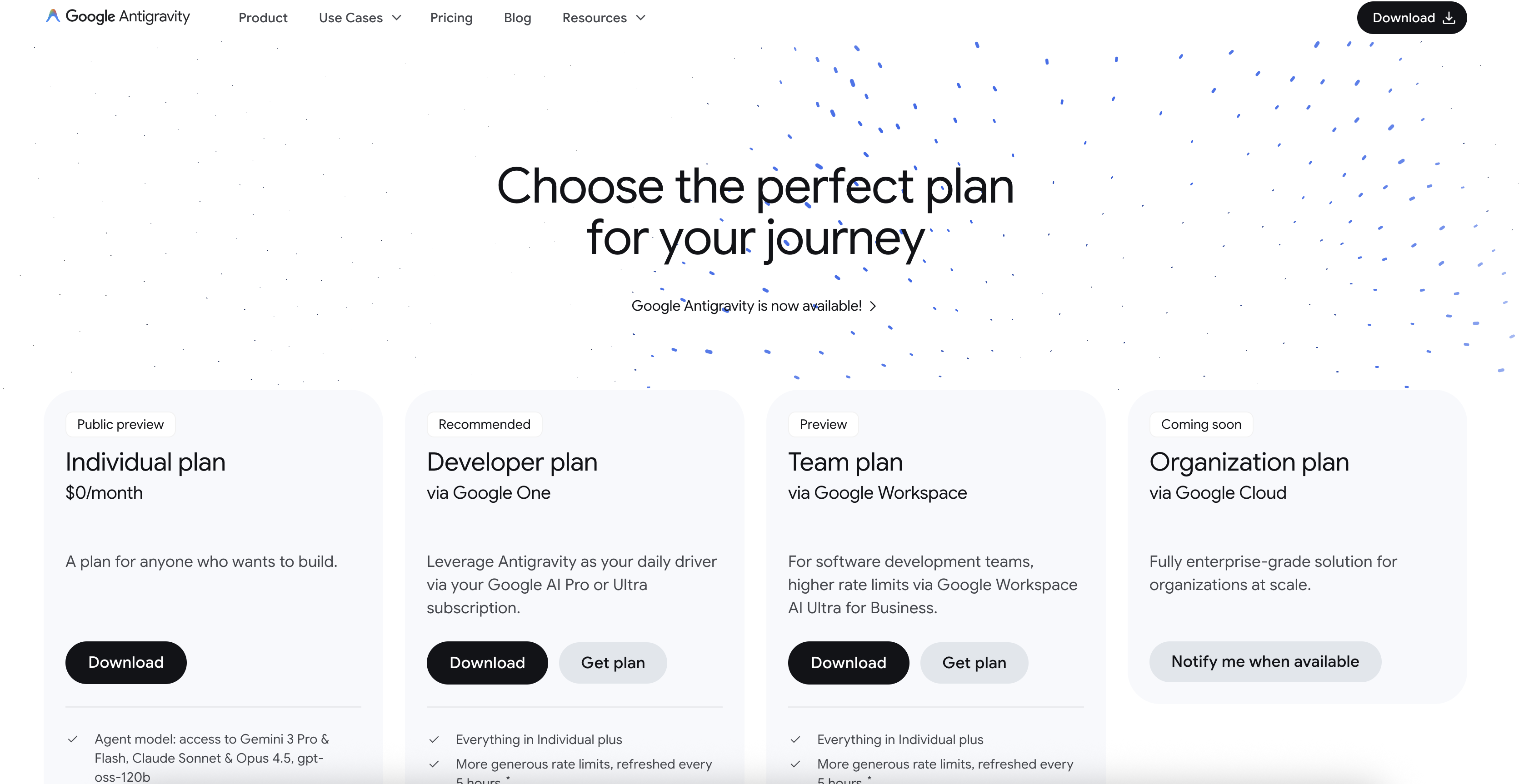
Here's where it gets spicy. 🌶️ Antigravity gives you access to Gemini 3 Pro and Claude Opus 4.5 with different reasoning/thinking levels (pricing). There are two tiers worth knowing about:
🆓 Free Tier
- ~30 min of vibe coding per week
- Resets weekly
- Pro tip: sign in with another Gmail when you run out! 😏
⭐ Developer Tier
- Really high usage limits
- Takes a while to get locked out
- Resets within 1-2 hours!
- Stack 2-3 accounts = basically never run out
Seriously, $6.49 for Claude Opus 4.5 and Gemini 3 Pro with limits that reset in an hour or two? That's insane value. You can stack multiple developer accounts and practically never run out.
🚀 Setup:
- Run
/antigravity-authin Code Puppy - Sign in with your Google account
- Code Puppy handles all the onboarding magic ✨
Minimax M2.1
Chinese model providers are crushing it right now. Minimax M2.1 is a very very small model weighing in at only 229 billion parameters. How well it performs given its size is actually astonishing.
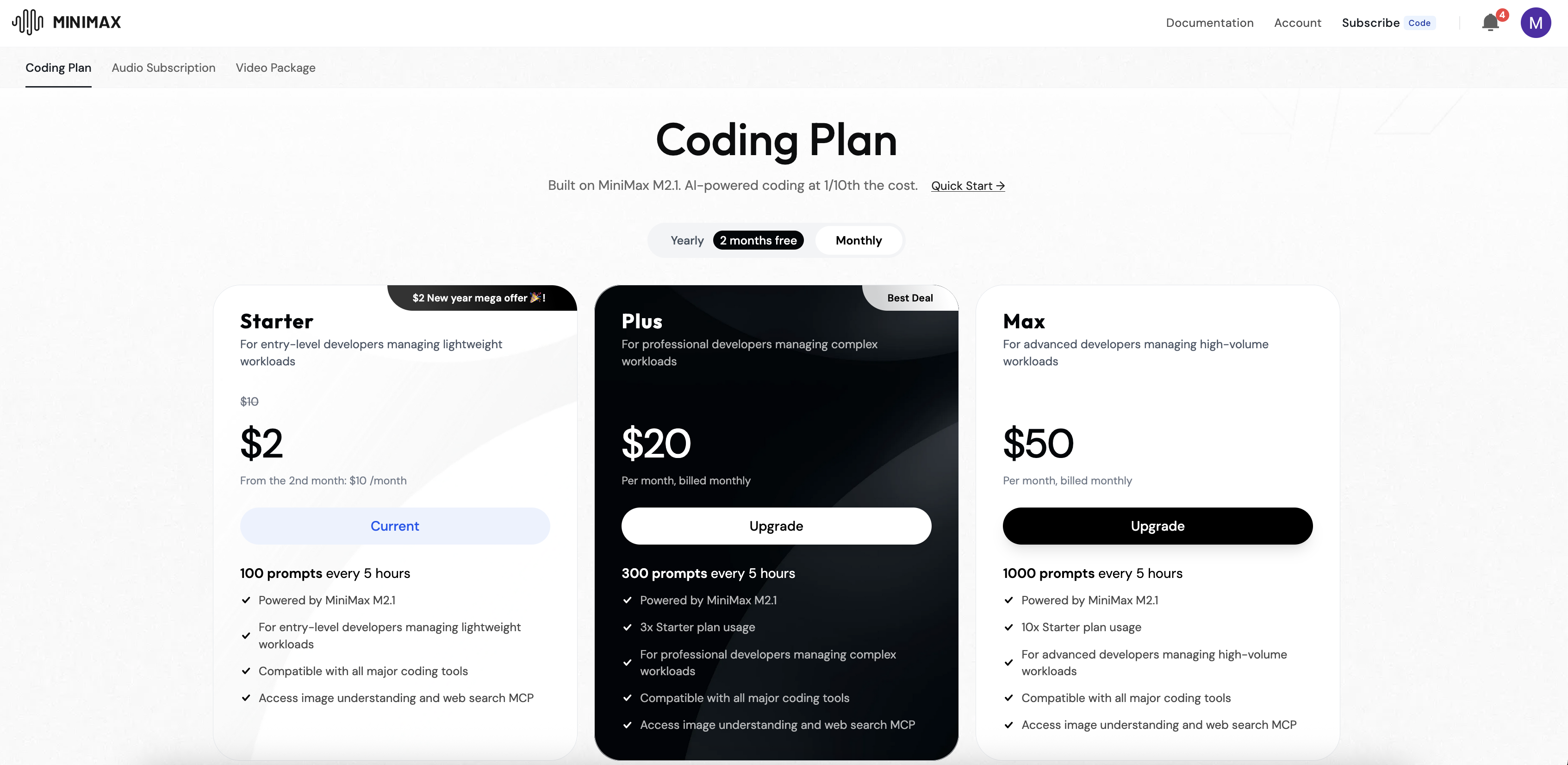
The $2/month plan at platform.minimax.io gives you introductory access with a surprisingly good amount of usage!
🚀 Setup:
- Sign up at platform.minimax.io and get an API key
- Run
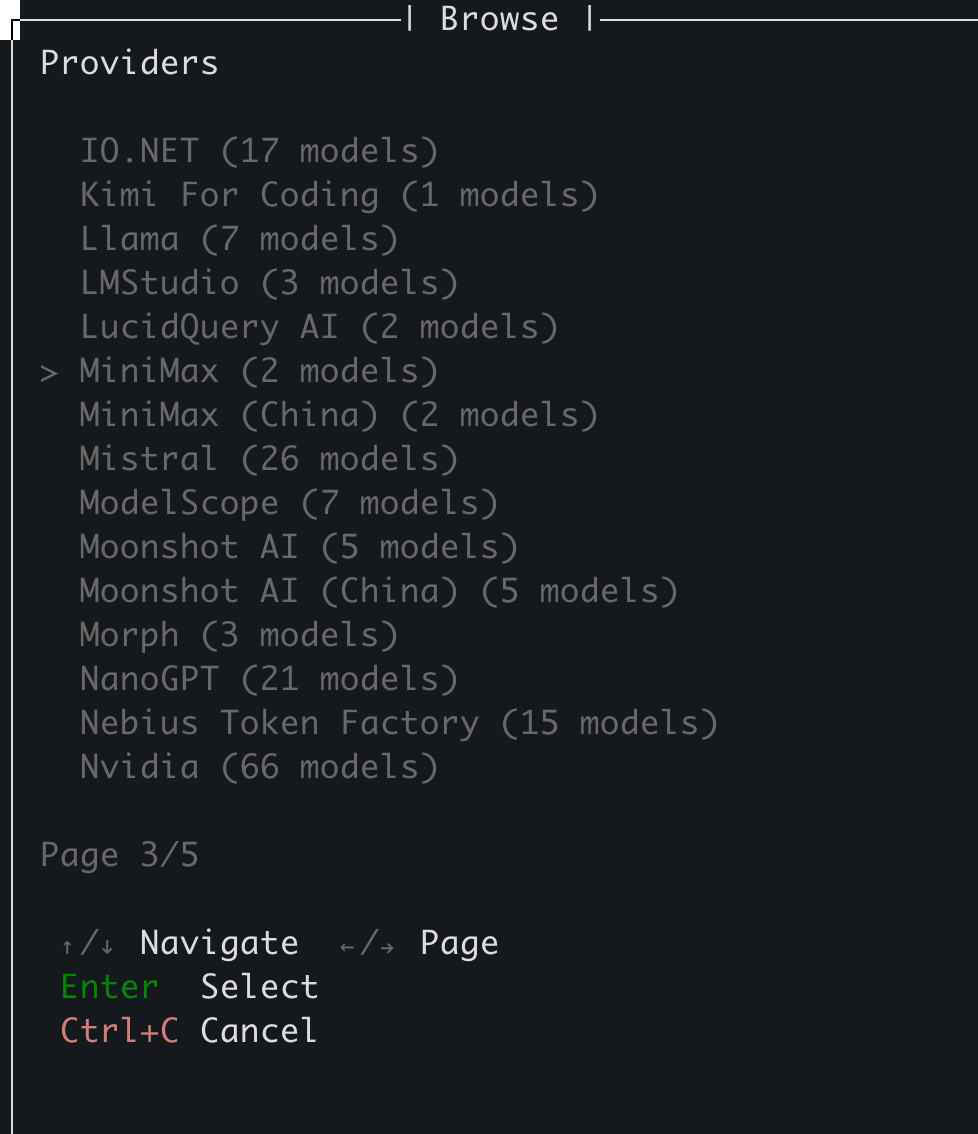
/add_modelin Code Puppy - Navigate to page 3 and find the Minimax provider (not the China one!)
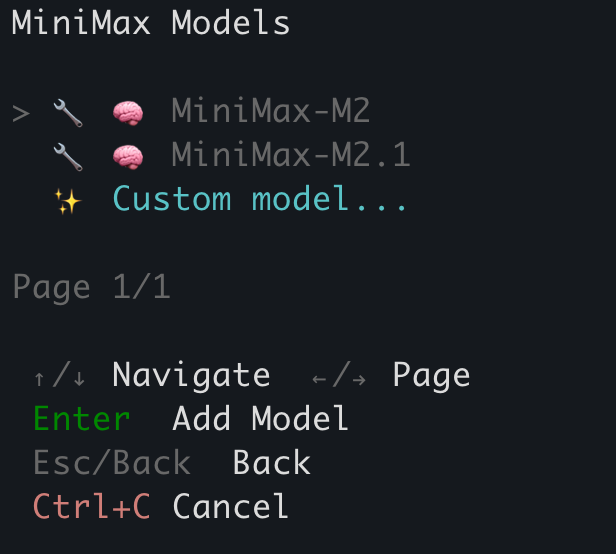
- Select Minimax 2.1
- Paste your API key when prompted
- Use
/model minimax-Minimax-m2.1to switch to it
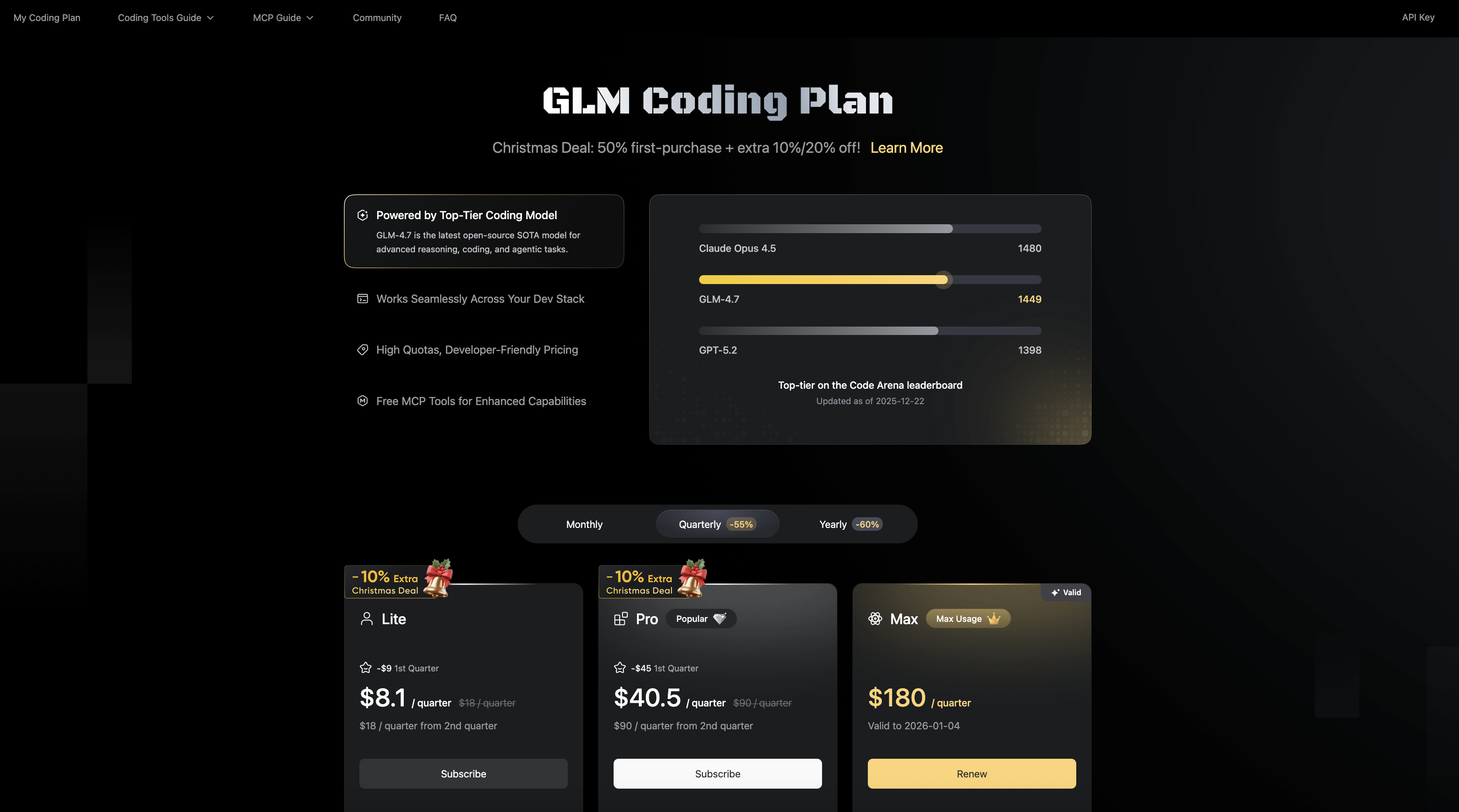
Another Chinese model provider bringing the heat! 🔥 The ZAI Coding plan is really good—for $9 per quarter (that's just $3/month!) you get a similar amount of usage as Minimax, but for a model that's a bit better.
I think it's nice to have both Minimax and Z.AI. They're super cheap and you can set them up in a multi-agent configuration for diverse perspectives!
🚀 Setup:
- Sign up at Z.AI and get the Coding subscription
- Get your API key from the dashboard
- Set it in Code Puppy:
/set ZAI_API_KEY = ... - Switch models with
/model zai-glm-4.7-coding
Already Have ChatGPT Plus?
A lot of people already have ChatGPT Plus for $20/month and don't realize they can use it for vibe coding! If that's you, you've got extra usage you didn't even know you had. Sure, you could use Codex CLI, but Code Puppy has way more features—sub-agents, the ability to mix other providers, and that sweet multi-model configuration.
🚀 Setup in 30 seconds:
- Run
/chatgpt-authin Code Puppy - Sign in with your OpenAI account (browser opens automatically)
- Boom! You now have access to
gpt-5.2andgpt-5.2-codex - Use
/model gpt-5.2to switch to it
Don't forget to play with the /model_settings command to set reasoning levels for these models!
Lower reasoning for quick tasks, higher for complex architecture decisions.
🎭 Multi-Agent Magic: Diverse Critics FTW
Here's the real power move: use /pin_model <agent> <model> to assign different models
to different agents. Having a diverse set of LLMs as critics is incredibly valuable—each model
has different strengths, biases, and blind spots.
/pin_model security-auditor antigravity-claude-opus-4-5-thinking-high
/pin_model code-reviewer zai-glm-4.7
/pin_model qa-kitten minimax-Minimax-m2.1
Code Puppy gives you the flexibility to mix and match providers, use OAuth where available, and get maximum bang for your buck. No vendor lock-in, no bloated IDEs, just pure terminal-based vibe coding with the best models available.